Permanent URLs
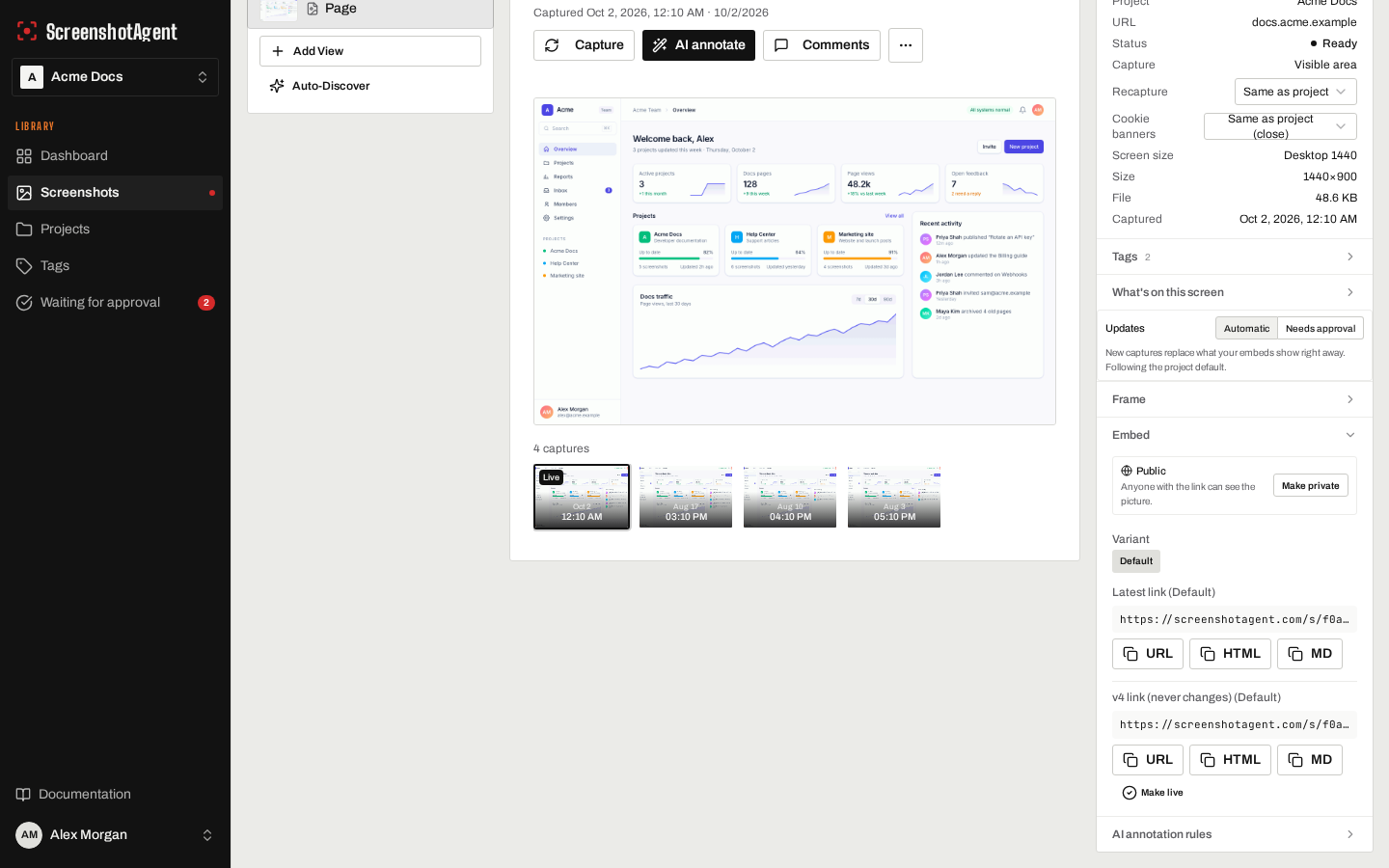
Every screenshot gets a UUID-based URL that never changes. When you recapture, the URL stays the same but serves the latest image (or, with Needs approval turned on, the version you approved). This means you can embed the URL once and it stays current forever.
screenshotagent.com/screenshotsV10
Auto-updatingCaptured Nov 15, 2026
Embedding in Markdown
Markdown
Embedding in HTML
HTML
<img
  src="https://screenshotagent.com/s/{uuid}.png"
  alt="Dashboard overview"
  loading="lazy"
/>
Available formats
Append the desired format extension to the URL:
| Format | Extension | Use case |
|---|---|---|
| PNG | .png | Best quality, supports transparency |
| JPEG | .jpg or .jpeg | Smaller files, good for photos |
| WebP | .webp | Modern format, best compression |
| Print-ready output |
Thumbnails
Every screenshot has a thumbnail version available at /s/{uuid}/thumb.png. Thumbnails are smaller, optimized images suitable for preview grids and navigation.
Caching
Public screenshot URLs include cache headers for optimal performance:
- Latest version URLs cache for 5 minutes (
max-age=300). This ensures freshness while reducing server load. - Version-specific URLs cache for 1 year (
max-age=31536000). Since versions are immutable, these can be cached indefinitely.
Visibility
Screenshots with public visibility are accessible to anyone with the URL. Screenshots with private visibility require signed, time-limited URLs. Only the screenshot owner’s team can generate signed URLs.